 MistBar
Press Kit
Writing About MistBar?
Everything you need in one place - facts, boilerplate, and screenshots you’re free to use. Updated August 2026.
MistBar is a native Mac menu-bar app that hides the clutter and keeps the small tools you use all day - a clipboard manager, mail, notes, app launchers, folders, text expansion, and your Claude, Codex, and Copilot usage - a click or keystroke away. It’s made solo, sold once, and everything stays on your Mac. If you’re covering it, help yourself to anything below; the screenshots and icon are free to use, and a quick link back to mistbar.app is always appreciated.
Fast facts
| Product | MistBar - a native macOS menu-bar utility |
|---|---|
| What it does | Declutters the menu bar and bundles a clipboard manager, mail, notes, app launchers, folders, text expansion, and AI-usage tracking in one app |
| Maker | SKJ APPS - an independent, one-person Mac software studio (skjapps.com) |
| Requirements | macOS 14 or later · Apple silicon and Intel |
| Price | $9.99 one-time launch price (regularly $19.99) · up to 3 Macs · no subscription |
| Availability | Out now at mistbar.app |
| How to get it | Direct download (Apple-notarized DMG), or Homebrew: brew install --cask skj-apps/tap/mistbar |
| Permissions | Accessibility - on a MacBook hiding needs no Screen Recording and never captures your screen. Macs without a notch, and the optional Tight Icon Spacing (off by default), ask for Screen Recording on macOS 27 |
| Privacy | No account, no analytics, no trackers - your data stays on your Mac |
| Guarantee | 14-day money-back, no questions asked |
| Website | mistbar.app |
| Press contact | support@mistbar.app |
Boilerplate
Copy any of these straight in.
MistBar is a native Mac menu-bar app that hides the clutter and keeps your everyday tools - clipboard, mail, notes, launchers, and AI usage - a click away.
MistBar is a native Mac menu-bar utility. It tucks the icons you never click behind a single hub - using Accessibility, not Screen Recording - and keeps a clipboard manager, mail, notes, app launchers, folders, text expansion, and live Claude, Codex, and Copilot usage a click or keystroke away. Pay once, no subscription, and nothing leaves your Mac.
MistBar cleans up your Mac’s menu bar and, in the same app, gives you the small tools you reach for all day. It hides the icons you never click behind one hub - on Accessibility, not Screen Recording - and brings them back on a hover, click, or hotkey. Alongside it sits a searchable clipboard manager, unread counts and quick compose for Gmail, Outlook, iCloud, and Fastmail, Apple Notes quick-capture, an app launcher, folders, text expansion, and a live readout of your Claude, Codex, and Copilot usage. It’s a one-time purchase for up to three Macs, with no account and no data collection.
The honest angle
If you want a hook rather than a feature list, here’s what actually sets it apart:
- Hides clutter without Screen Recording. Most menu-bar hiders lean on Screen Recording permission; MistBar hides with Accessibility and a bit of menu-bar spacing instead, so on a MacBook hiding never captures your screen. On a Mac without a notch, and with the optional Tight Icon Spacing (off by default), macOS 27 hiding asks for it.
- One app instead of five. Declutter, clipboard, mail, notes, launcher, folders, and text expansion usually mean a stack of separate utilities. MistBar folds them into one native app.
- AI usage in the menu bar. For people living in Claude Code, Codex, or Copilot, it keeps your current usage and reset time visible - reading the data already on your Mac for Claude and Codex, so there’s nothing to set up.
- Solo, pay-once, private. Built by one person, sold a single time with no subscription, and it collects nothing - no account, no analytics, no trackers.
And the honest flip side, since it’s worth saying: if all you want is free menu-bar hiding, tools like Ice do that well. MistBar is for people who want the hiding and the everyday toolkit in one place. We say as much on the comparison pages.
Screenshots & assets
Click any image for the full-size file. All free to use in coverage of MistBar.
 App iconicon.png
 Menu-bar stripmenubar-strip.png
 Beforeweb-before.png
 Afterweb-after.png
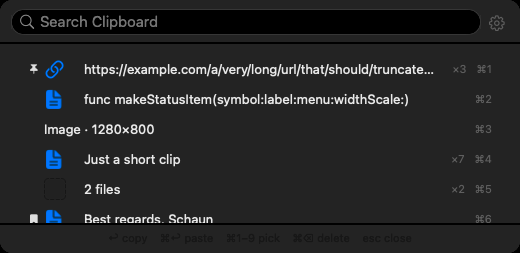 Clipboard managerclipboard-panel.png
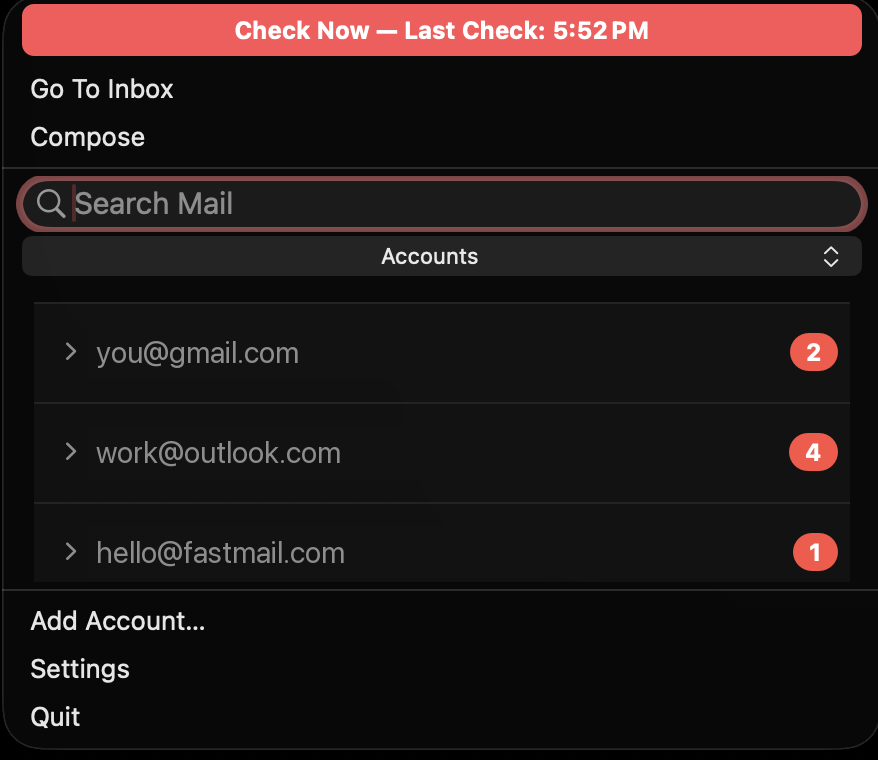 Mailmail-accounts.png
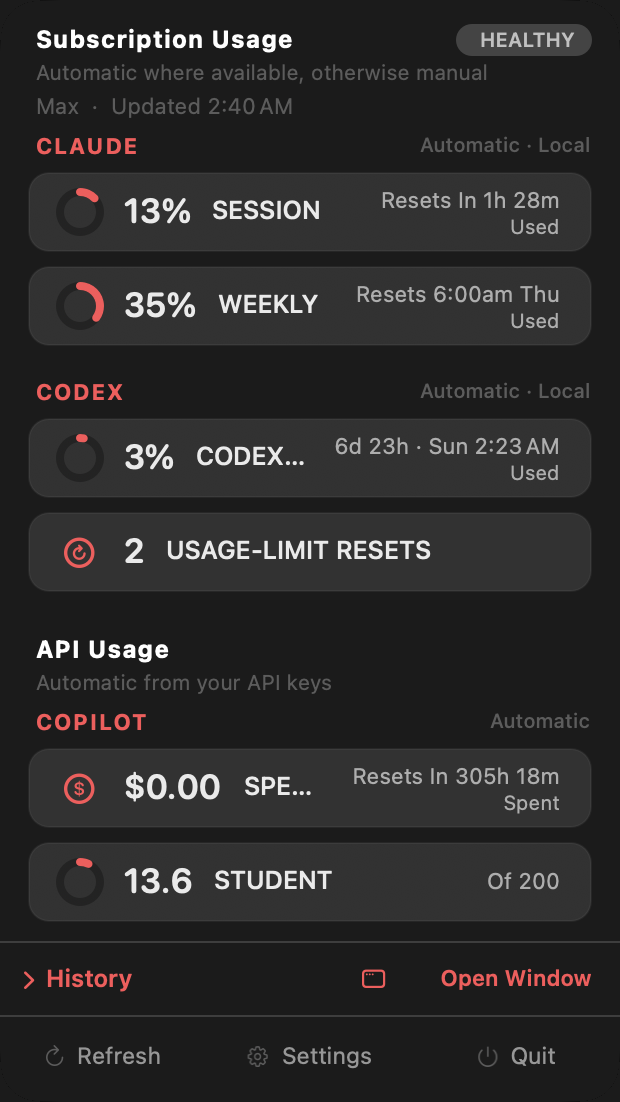 AI usageusage-center.png
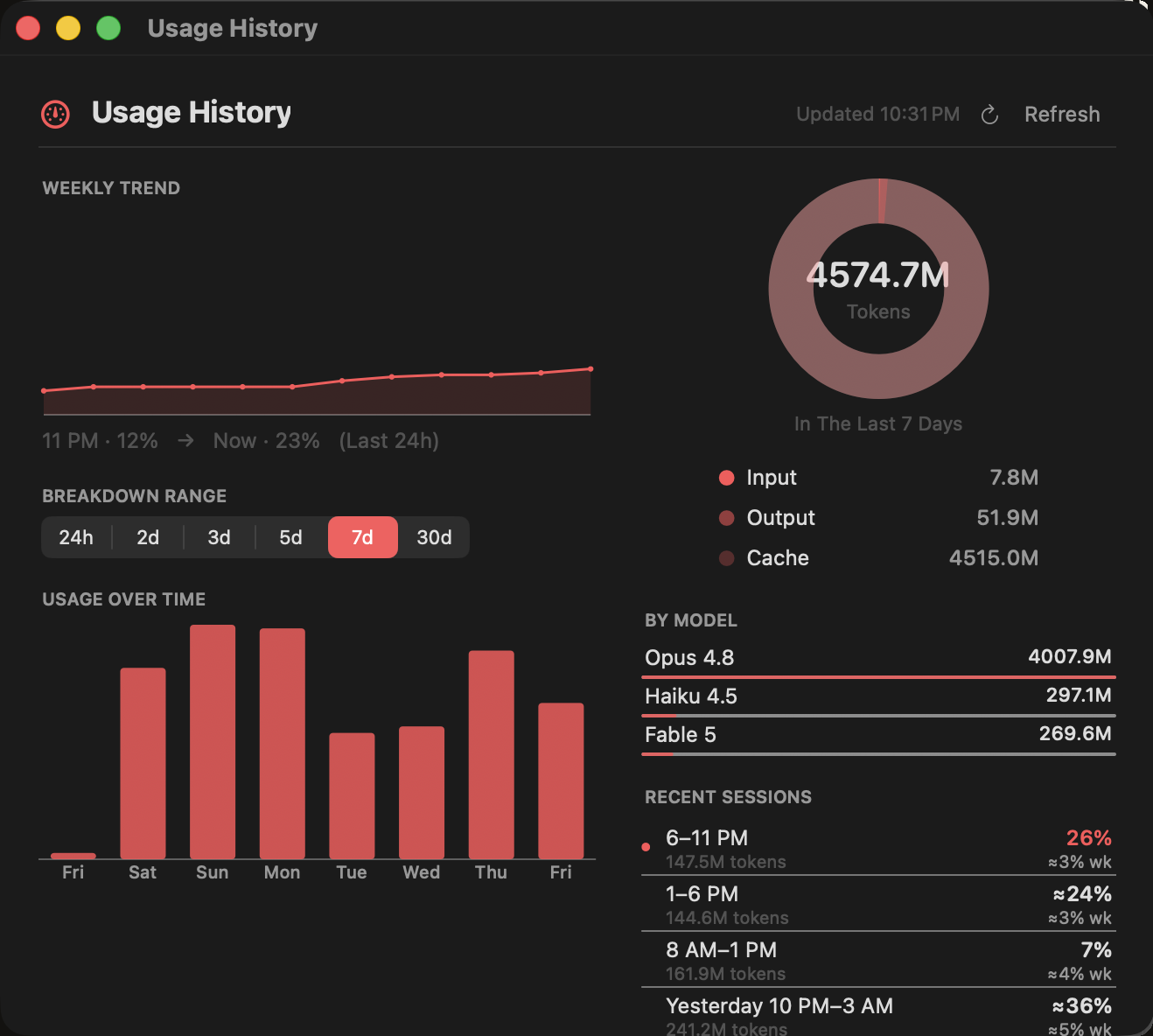 Usage historyusage-history.png
 Social cardog-home.png
About SKJ APPS
MistBar is made by SKJ APPS, a one-person Mac software studio. Every app is built solo, used daily by the person who makes it, and designed to be feature-rich and then stay out of the way - so it feels like a normal part of macOS rather than one more thing to manage. More at skjapps.com.
Need anything else?
Reviewing MistBar and want a license to try it, a specific screenshot, or a quick answer? Email me - I read every message.
Email support@mistbar.app